
JavaScript Gantt Chart - A Quick and Easy Task Scheduling Control
- A complete project management tool for scheduling and planning projects.
- You can manage and monitor specific tasks and resources in a project.
- The intuitive user interface lets you manage complex projects on the go.


Trusted by the world’s leading companies

Overview
The JavaScript Gantt Chart is a project planning tool used to display and manage hierarchical tasks with timeline details. It helps assess how long a project should take, determine the resources needed, manage the dependencies between tasks, and plan the order in which the tasks should be completed.
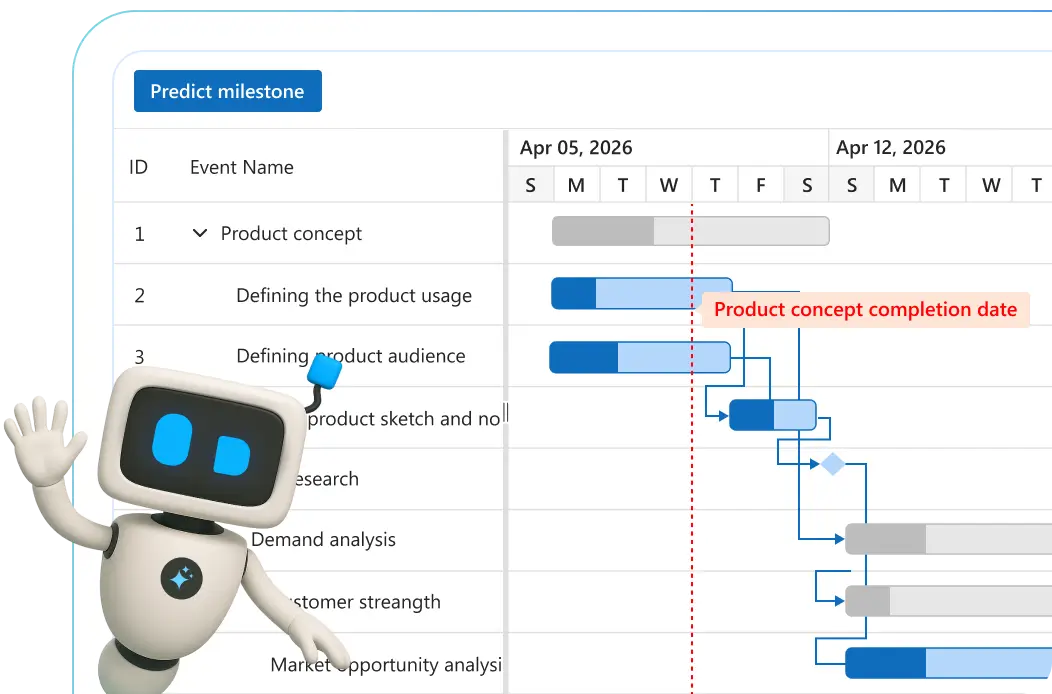
AI-ready Gantt Chart for smarter project planning
Plan and manage projects intelligently with this AI-ready Gantt Chart. Prioritize tasks, predict timelines, and optimize resources effortlessly for maximum productivity.
-
Auto-prioritize tasks: Let AI sort tasks by urgency so your team stays focused.
- See how to add task prioritization
-
Timeline prediction: Forecast milestones and completion dates with machine learning.
- See how to integrate timeline forecasting
Why choose the Syncfusion JavaScript Gantt Chart?
High performance
Virtual scrolling in the JavaScript Gantt Chart allows you to load large amounts of data without performance degradation.
Seamless data binding
Bind data with various local and remote data sources such as JSON, OData, WCF, and RESTful web services with the help of a data manager.
Adapts to any resolution
The Gantt Chart has a highly responsive layout and an optimized design for desktops, tablets, and phones. It works well on all mobile phones that use iOS, Android, or Windows OS.
Elegant animation
The Gantt Chart for JavaScript provides fluid animation to present data with smooth transitions.
Templates
Use templates to customize taskbars and grid columns. Customize the timeline header for a better view of the data.
Timeline zooming
Increase or decrease the width of timeline cells and change the timeline units dynamically with zooming. This lets you clearly view tasks in a project, from minute to decade.
Attractive, customizable themes
Create cutting-edge design with several built-in themes, such as Fluent, Tailwind CSS, Bootstrap, Material, and Fabric. Utilize the online Theme Studio tool to customize themes of the Gantt Chart easily.
Globalization and localization
Enable users from different locales to use the control by formatting dates, currency, and numbering to suit preferences.
Plan projects smarter with the AI-driven Gantt Chart
Manage projects efficiently using the AI-ready JavaScript Gantt Chart. Prioritize tasks, forecast timelines, and allocate resources with precision for maximum productivity.
-
Automatically prioritize tasks: AI ranks tasks by urgency to keep your team focused.
- See how to enable task prioritization
-
Timeline prediction: Use AI insights to estimate milestones and delivery dates.
- See how to integrate timeline forecasting
JavaScript Gantt Chart code example
Easily get started with the JavaScript Gantt Chart using a few simple lines of HTML and TS code as demonstrated below. Also explore our JavaScript Gantt Chart example, which shows you how to render and configure the control in JavaScript.
<div class="control-section">
    <div class="content-wrapper">
        <div id="DefaultFunctionalities">
        </div>
    </div>
</div>
import { loadCultureFiles } from '../common/culture-loader';
import { Gantt, Selection } from '@syncfusion/ej2-gantt';
import { projectNewData } from './data-source';
/**
* Default Gantt sample
*/
Gantt.Inject(Selection);
loadCultureFiles();
let gantt: Gantt = new Gantt(
{
dataSource: projectNewData,
height: '450px',
taskFields: {
id: 'TaskID',
name: 'TaskName',
startDate: 'StartDate',
endDate: 'EndDate',
duration: 'Duration',
progress: 'Progress',
dependency: 'Predecessor',
child: 'subtasks'
},
labelSettings: {
leftLabel: 'TaskName'
},
projectStartDate: new Date('03/24/2019'),
projectEndDate: new Date('07/06/2019')
});
gantt.appendTo('#DefaultFunctionalities');Timeline
The JavaScript Gantt Chart supports different configurable timeline views for hour, day, week, month, and year.


Task scheduling and relationships
Users can easily plan and schedule tasks in both auto and manual mode to track their projects. Create relationships between different tasks in project management. When a project is complex and contains many tasks that depend on the completion of others, task dependencies enable you to decide when a task can be started or finished using finish-to-start, start-to-finish, start-to-start, and finish-to-finish task link types.
Critical path
The JavaScript Gantt Chart offers support for a critical path, representing a series of tasks that directly influence the calculated finish date of a project. If any task within the critical path is delayed, it leads to a delay in the timeline. This feature is particularly useful for managing projects with fixed deadlines, allowing users to identify and prioritize tasks crucial for timely delivery.


Split and merge tasks
The split task feature allows users to split a task or interrupt the work during planned or unforeseen circumstances. It makes the view dynamic and interactive, improving the visualization of the project taskbar. Multiple segments can be split and merged within a taskbar.
Resource view
Visualize the list of tasks assigned to each resource in a hierarchical manner. Multiple tasks assigned to each resource can be visualized in a row when the records are in a collapsed state.

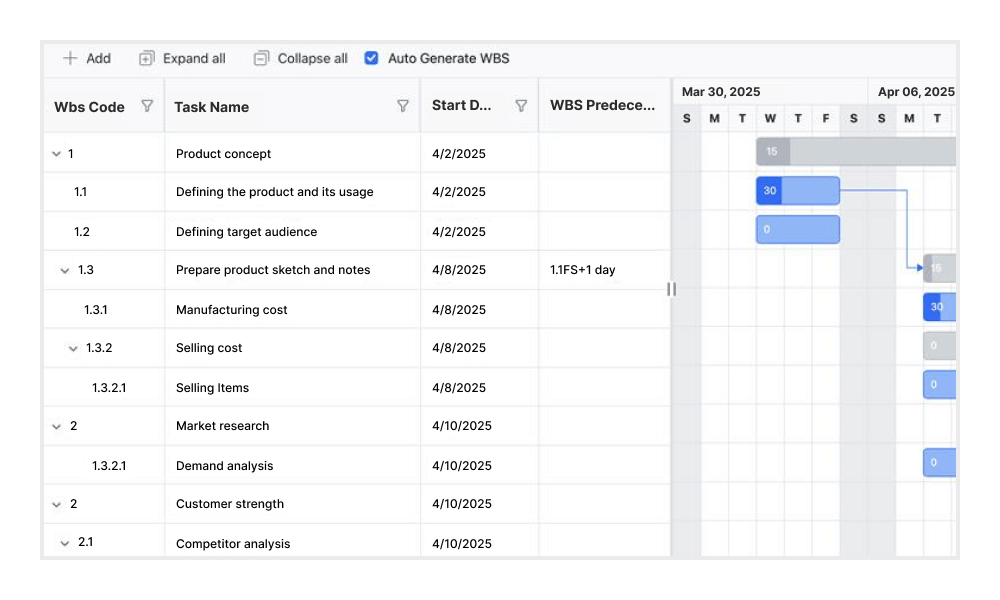
Work breakdown structure (WBS) column
The WBS column organizes project tasks into a multilevel hierarchy by assigning unique codes to each task. This structure improves visibility and control over complex task relationships, making it well-suited for projects such as construction, enterprise systems, and large-scale software development.
Editing
The Gantt Chart provides full support for create, read, update, and delete (CRUD) operations. In addition to using built-in editor controls to edit a particular column value, users can create custom editor controls using template support. Users can also edit the tasks fields directly in their respective cells using a dialog or interactively using taskbars.


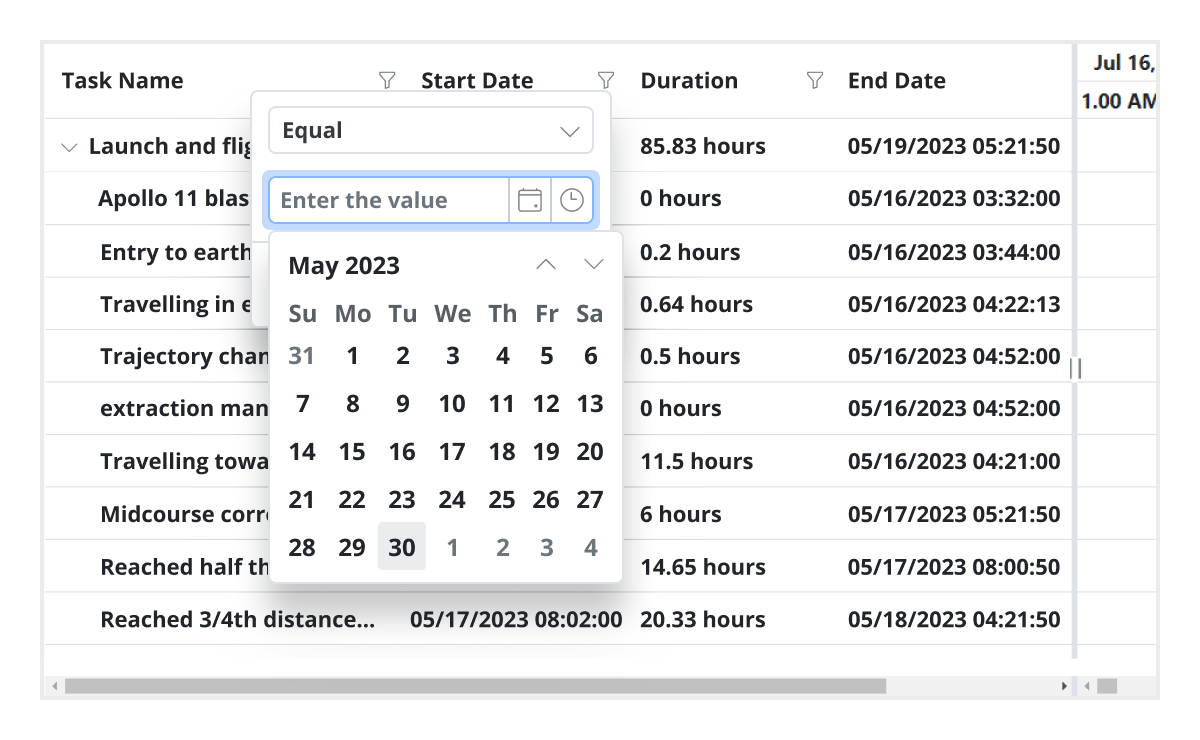
Filtering
Data can be filtered using the filter option in each column and search option in the toolbar. The component supports two filter types: Excel-like filters and menu filters. The Gantt Chart allows users to choose appropriate filter types, define their own custom filtering logic, and customize the filtering UI. Filtering with related parent or child records can be defined.
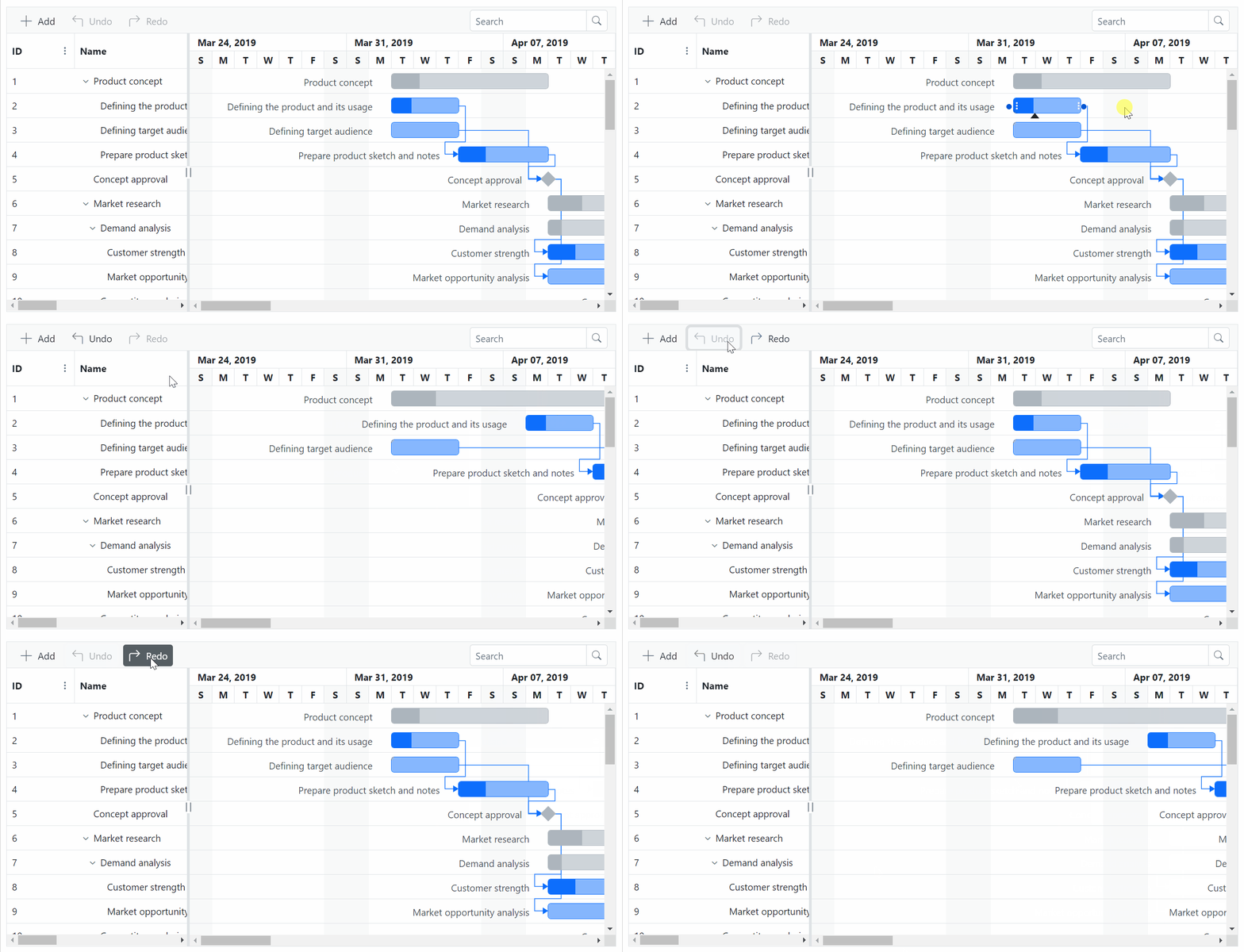
Undo and redo
The undo feature enables users to revert the most recent action performed in the Gantt Chart. The redo feature allows users to reapply an action that was previously undone.
Virtual scrolling
Virtual scrolling in the JavaScript Gantt Chart allows you to load large amounts of data without performance degradation. In row virtualization mode, all tasks are fetched initially from the data source and rendered in the DOM within a compact viewport area.
Frozen columns
Frozen columns stay fixed on the left, right, or both sides of the chart, while the rest of the content scrolls independently. This makes it easy to keep important task identifiers visible at all times.
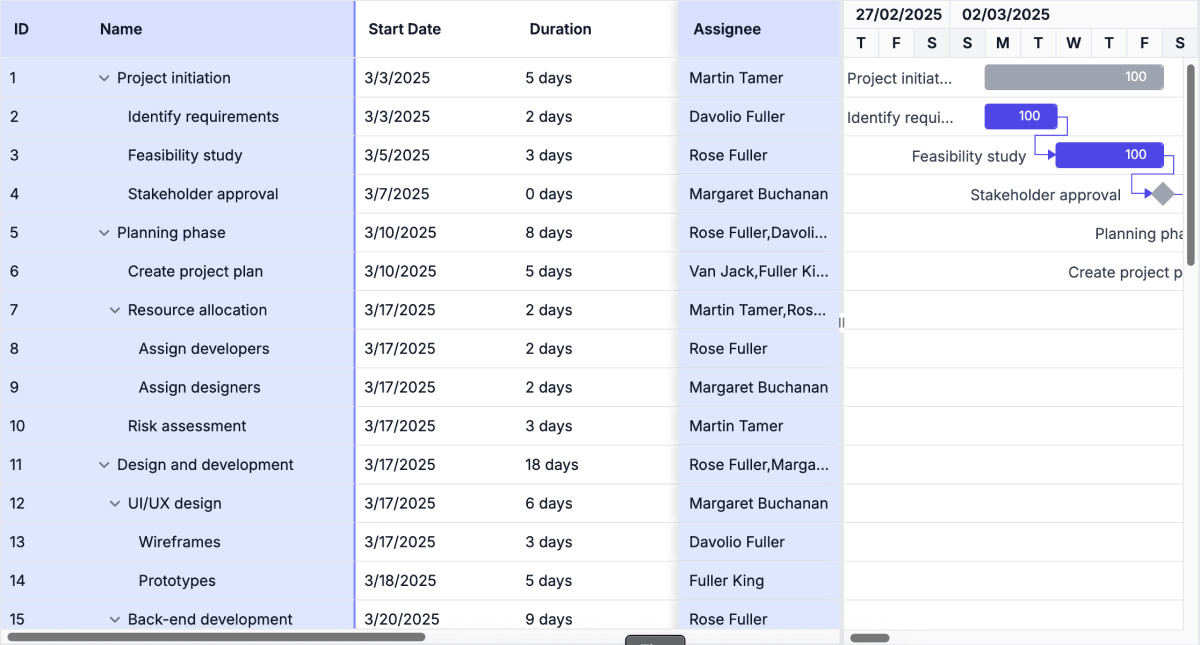
Auto scroll to taskbar on row selection
Focus on the tasks that are not visible but scheduled later along the timeline by selecting their rows in the grid section.
Highlight days and events
Highlight important days or events in a project using event markers.
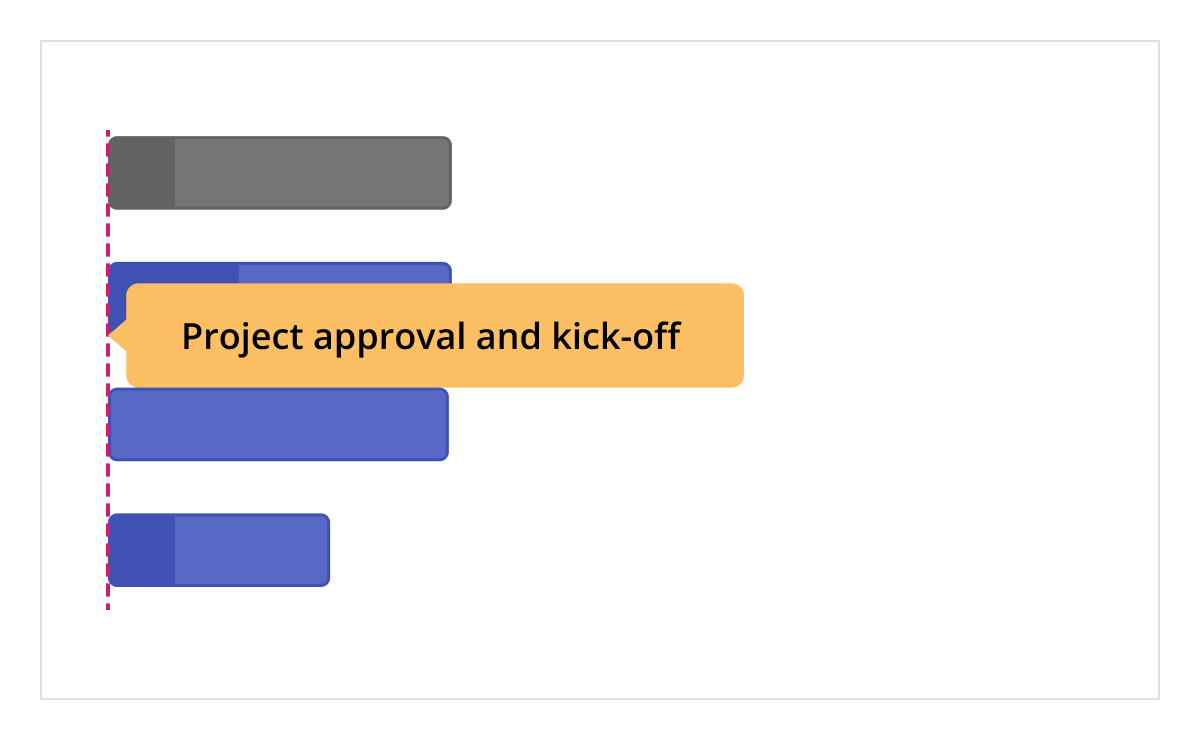

Baselines
Compare the current task’s progress with the planned timeline using baselines.
Resource allocation
Allocate multiple resources like staff, equipment, and materials to each task using JavaScript Gantt Chart component.

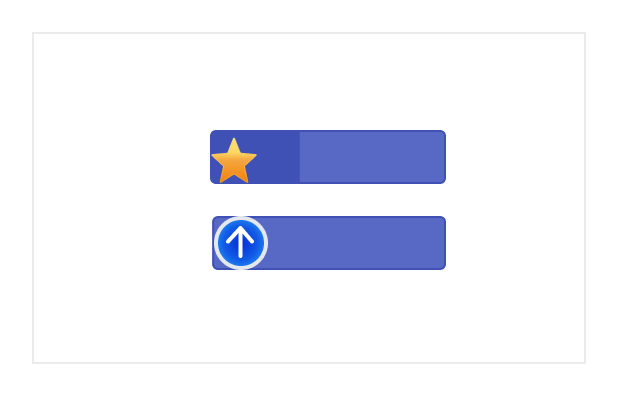
Data markers
Display events for a specific task that can be placed on the timeline on any given date.

Tooltip
The tooltip displays task information while the mouse hovers over the task and editing actions for the taskbar and connector lines.

Holidays
Display nonworking days using the holidays feature.
Interactive features

Row height and taskbar height
Row height is a major factor when displaying records in the viewport and it can be customized effortlessly. The height of child taskbars and parent taskbars can be customized using the taskbarHeight property.

Context menu
The context menu improves user interaction with JavaScript Gantt Chart control by providing a pop-up menu. It appears when a cell or header is right-clicked. In addition to built-in, default menu items, it allows you to add custom items.

Exporting
Easily export the Gantt Chart component in file formats such as Excel, CSV, and PDF.
Accessibility

Keyboard navigation
Every cell in the JavaScript Gantt Chart is keyboard-accessible. Major features like sorting, selection, and editing can be performed using keyboard commands alone; no mouse interaction is required. This helps in creating highly accessible applications using this component.

Screen reader
The JavaScript Gantt Chart has complete WAI-ARIA accessibility support. The UI includes high-contrast visual elements to help people with low vision have the best viewing experience. Also, valid UI descriptions are easily accessible through assistive technologies such as screen readers.
Mobile-optimized and touch-friendly
The JavaScript Gantt Chart has a highly responsive layout and fine touch support for desktops, tablets, and smartphones.

Touch support
User-friendly touch gestures and an interactive UI design help produce the best user experience. All Gantt Chart features work on touch devices with zero configuration.

Responsive
The JavaScript Gantt Chart has a responsive layout, allowing it to be viewed on various devices. It is also possible to hide specific columns for particular screen sizes using column-based media query support.
Other supported frameworks
The Gantt Chart is available for the Blazor, React, Angular, and Vue frameworks. Explore its platform-specific options through the following links:



Supported browsers
The JavaScript Gantt Chart works well with all modern web browsers, including Chrome, Firefox, Edge, Safari, and Opera.
Not sure how to create your first JavaScript Gantt Chart? Our documentation can help.
I’d love to read it now145+ JAVASCRIPT UI CONTROLS
ALL CONTROLS
SMART COMPONENTS
GRIDS
DATA VISUALIZATION
DROPDOWNS
FILE VIEWERS & EDITORS
BUTTONS
INTERACTIVE CHAT
INPUTS
NAVIGATION
FORMS
NOTIFICATIONS
Frequently Asked Questions
Why should you choose the Syncfusion JavaScript Gantt Chart?
- A complete project management tool to schedule and plan projects.
Extensive features for managing and monitoring specific tasks and resources in a project.
Intuitive user interface to manage complex projects on the go.
Simple configuration and API.
- Support for all modern browsers.
- Touch-friendly and responsive UI.
Extensive learning resources such as demos and documentation help you get started quickly with the JavaScript Gantt Chart.
Where can I find the Syncfusion JavaScript Gantt Chart demo?
You can find our JavaScript Gantt Chart demo here. It demonstrates how to render and configure the Gantt Chart.
What is the Syncfusion JavaScript Gantt Chart used for?
JavaScript Gantt Charts can be used in various aspects of project management, from initial planning and scheduling to tracking progress and managing risks. They provide a structured framework for organizing and managing complex projects.
Can I download and utilize the Syncfusion JavaScript Gantt Chart for free?
No, this is a commercial product and requires a paid license. However, a free community license is also available for companies and individuals whose organizations have less than $1 million USD in annual gross revenue, 5 or fewer developers, and 10 or fewer total employees.
How do I get started with Syncfusion JavaScript Gantt Chart?
A good place to start would be our comprehensive getting started documentation.
How can I try the JavaScript Gantt Chart?
Current customers can download the latest version of Syncfusion controls from the Downloads and Keys section of their Syncfusion account dashboard. If you are new to Syncfusion, try our 30-day free trial to check out all our controls.
Our Customers Love Us
Having an excellent set of tools and a great support team, Syncfusion® reduces customers’ development time.Here are some of their experiences.

Comprehensive, fast moving & well-supported
The product suite is quite complete. There are some very useful components which are otherwise not available. Specifically, very impressed with Dashboard Layout and Gantt Components. The team is always available to get on a call to understand the issue better and provide support.

Ruchik V.

Founder & CEO
Syncfusion helps small companies
Syncfusion has a very good service and innovative products. People at syncfusion is helpful and tries to give solution to customer needs. Essential Studio has enough controls for most business applications.

Regina V.

Programador informático
Read Our Customer Stories
Developers around the world trust Syncfusion’s Essential Studio to simplify complex projects and speed up delivery. With a vast library of UI controls, powerful SDKs, and reliable support, Essential Studio helps teams build enterprise-ready applications with confidence.
Explore Case StudiesIndustry
Software development
75% Cost reduction
50% Faster development

Industry
Utilities (oil and gas)

450+ hours saved
Streamlined processes and hours of development effort saved.

Advanced, flexible features
Empowered users through robust and versatile functionality.
Industry
Software and technology
1000+ of hours saved
Accelerated development with enterprise-ready UI components.

Efficient file management
Streamlined workflows with document libraries without building them from scratch.
Industry
Software and technology

2 Years of delay avoided
Two years of delays prevented with proactive planning.

On-time delivery
Projects delivered on schedule using trusted controls.
Industry
IT services and IT consulting

Improved performance
Large datasets handled with easy customization and quick debugging.

Highly customizable
Plug-and-play controls with quick template integration.
Industry
Professional services
Instant access
Quick availability of features and resources.
Reduced dependencies
Fewer dependencies for faster development.
Rated by users across the globe


Syncfusion JavaScript Gantt Chart resources


UI Kits
 Figma download
Figma download
Awards
Greatness—it’s one thing to say you have it, but it means more when others recognize it. Syncfusion® is proud to hold the following industry awards.


Recent activities in JavaScript Gantt Chart blogs
The JavaScript Gantt Chart blog posts will guide you in building your first app with this JavaScript controls. They provide problem-solving strategies, describe features and functionalities, announce new feature releases, explain best practices, and showcase example scenarios. Explore our latest posts on our blog channels for JavaScript Gantt Chart updates.
BLOG
Using Microsoft Project Files with Syncfusion JavaScript Gantt Chart: A Beginner’s Guide
NOVEMBER 19, 2024


