


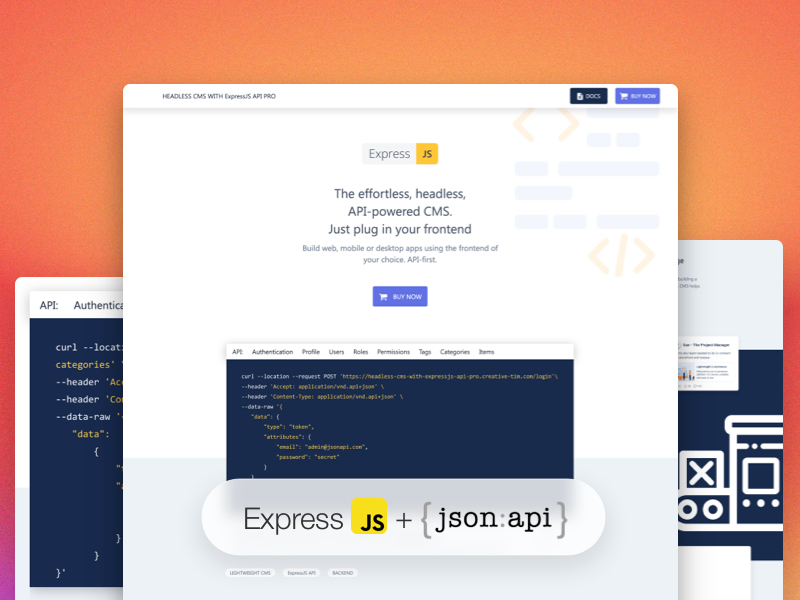
Headless CMS with ExpressJS API Free is a backend built with the most popular Node.js framework.
Download the .zip file from the Creative Tim site and extract it. what is the link?
Express is a minimal and flexible framework Node.js web application. Express offers core features for creating an API:
- allows setting up a middleware for responding to HTTP requests
- helps with routing for different HTTP methods
- dynamically rendering HTML pages
Click here to go to the Express docs
For the data management was used MongoDB, a non-relational database that provides support for JSON-like storage.
Click here to go to the MongoDB docs
For your local development you need to have Node.js and npm version 16 or above installed:
- For Windows: https://phoenixnap.com/kb/install-node-js-npm-on-windows
- For Linux: https://www.geeksforgeeks.org/installation-of-node-js-on-linux/
- For Mac: https://treehouse.github.io/installation-guides/mac/node-mac.html
To install the project you need to have version 16 of Node.js and npm version 8. The first step is to run npm install command. Next you need to copy the .env.example file and name it .env. There are the variables for the database and the URLs:
-
DB_LINK="mongodb-link-to-connect"
-
JWT_SECRET="token"
-
APP_URL_CLIENT= with the default value of http://localhost:3000
-
APP_URL_API= with the default value of http://localhost:8080
-
add your mailtrap credentials in the MAILTRAP_USER and MAILTRAP_PASSWORD
For a token-based authentication passport and passport-jwt modules were used. Also for managing the database, mongoose helped. Two scripts seeding and clearing the collections and documents are found in the /src/mongo. The FREE version has a single table of users with a default user admin@jsonapi.com with the password secret.
To migrate and seed the tables the commands are:
- npm run seed
- npm run clear
To start the API you need to run the command npm run start:dev. For example, your React project can use it by adding in your package.json "proxy": "http://localhost:8080/" if in your local development. Check your .env variables to match your URLs.
It offers endpoint for login with the default users or it can register a new one. In the case of forgetting the password, the user can request a reset passsword and reset it. For getting and updating the user's profile it uses a Profile API.
Node API offers endpoints for common CRUD functionalities:
- Authentication API: login, logout, forget passwors and reset password
- Profile API: get profile, update profile
- Versions
- Documentation
- Dashboards built with Headless CMS with ExpressJS API PRO
- Resources
- Reporting Issues
- Licensing
- Useful Links


The documentation for the Node API is hosted at our here.
- Download Page: https://
- Documentation: https://documenter.getpostman.com/view/8138626/Uze1virp
- License Agreement: https://www.creative-tim.com/license
- Support: https://www.creative-tim.com/contact-us
- Issues: Github Issues Page
| Material Dashboard 2 React |
|---|
 |
We use GitHub Issues as the official bug tracker for the Node API PRO. Here are some advices for our users that want to report an issue:
- Make sure that you are using the latest version of the Node API PRO. Check the CHANGELOG from your dashboard on our website.
- Providing us reproducible steps for the issue will shorten the time it takes for it to be fixed.
- Some issues may be browser specific, so specifying in what browser you encountered the issue might help.
- Copyright Creative Tim (https://www.creative-tim.com/?ref=hceja-readme)
- Creative Tim License (https://www.creative-tim.com/license).
- Tutorials
- Affiliate Program (earn money)
- Blog Creative Tim
- Free Products from Creative Tim
- Premium Products from Creative Tim
- React Products from Creative Tim
- Angular Products from Creative Tim
- VueJS Products from Creative Tim
- More products from Creative Tim
- Check our Bundles here
Twitter: https://twitter.com/CreativeTim?ref=hceja-readme
Facebook: https://www.facebook.com/CreativeTim?ref=hceja-readme
Dribbble: https://dribbble.com/creativetim?ref=hceja-readme
Instagram: https://www.instagram.com/CreativeTimOfficial?ref=hceja-readme
Twitter: https://twitter.com/updivision?ref=hceja-readme
Facebook: https://www.facebook.com/updivision?ref=hceja-readme
Linkedin: https://www.linkedin.com/company/updivision?ref=hceja-readme
Updivision Blog: https://updivision.com/blog/?ref=hceja-readme